You have invested in your brand. You have spent hours refining your Instagram, improving your offers, and showing up consistently, but your website is outdated, confusing, or not converting.
This is where many female founders get stuck.
Your website is not just something you have, it should actively work for you.
Instead, it often feels like:
- People visit but do not inquire
- It no longer reflects your level
- You feel hesitant to send people to it
You may start wondering if you need a designer, a developer, or a full rebrand, or if there is a simpler solution.
That is where Showit comes in.
In case you are new here, I am Michelle, and I help female founders create strategic, designer websites without the high designer price. If you want a website that works harder than you do, you are in the right place.
If you are looking for a done for you or template based solution, you can explore my offers here
What is Showit
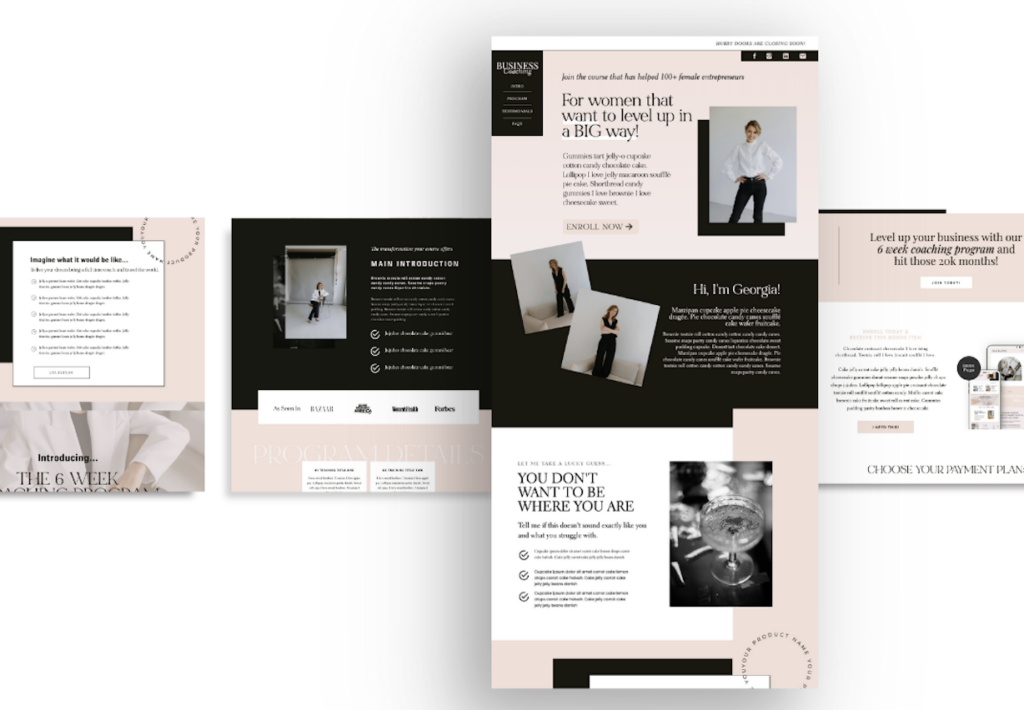
Showit is a drag and drop website builder that gives you full creative control without needing to touch code.
Unlike traditional platforms that lock you into rigid layouts, Showit allows you to design freely so your website reflects your brand instead of working against it.
One of its biggest advantages is that it integrates with WordPress for blogging, giving you both design flexibility and strong search engine optimization capabilities.
Why female founders are choosing Showit
Showit has become a go to platform for service based businesses, especially female founders, because it removes the biggest barrier, tech overwhelm.
Here is why it works so well:
- No coding required
- Fully customizable layouts
- Mobile design control
- Seamless WordPress blog integration
- Built for visual, brand driven businesses
It does not put you in a box, which is exactly what growing businesses need.

Why your website is not converting and how Showit helps
Most websites do not fail because of the platform. They fail because there is no strategy behind them.
Common issues include:
- No clear messaging on the homepage
- Confusing navigation
- No strong call to action
- Pages designed for aesthetics instead of conversion
Showit gives you flexibility, but strategy is what makes it effective.
If you want a shortcut, you can browse strategic templates designed for conversion here
How to build a Showit website step by step
Step 1 Choose a strategic template
Starting from scratch can quickly become overwhelming. A well designed template provides structure, flow, and built in conversion strategy.
Do not choose based on aesthetics alone. Choose based on how you sell.
Step 2 Plan your pages with intention
Before designing, map out your core pages:
- Home
- About
- Services
- Contact
- Blog, optional but powerful for search engine optimization
Your website should guide visitors from browsing to inquiring. This requires intentional structure.
Step 3 Make it feel like your brand
This is where Showit stands out. You can adjust layouts, swap fonts and colors, and move elements freely.
Always prioritize clarity over creativity. A visually appealing website that confuses users will not convert.
Step 4 Connect your domain
Once your site is ready, connect your domain through DNS settings. This is a one time setup, and Showit provides step by step guidance.
Step 5 Set up your blog for search engine optimization
Your blog runs through WordPress, which is essential for long term visibility.
This allows you to:
- Appear in Google search results
- Build authority
- Attract aligned clients consistently
If you are not using your website to generate leads, you are missing a major growth opportunity.
Step 6 Test before you launch
Before publishing:
- Test all links
- Submit your forms
- Review mobile design
- Fix inconsistencies
Small adjustments at this stage can significantly improve user experience.
Step 7 Publish and refine
Your website does not need to be perfect, it needs to be live. Progress drives growth.
Is Showit right for you
Showit is ideal if you:
- Run a service based business
- Value branding and design
- Want flexibility without code
- Plan to grow through content and search engine optimization
The platform is only one part of the equation. The real impact comes from how your website is structured, written, and positioned.
Get one month free of Showit
If you are ready to start building your website, you can get one month free of Showit here. This is a simple way to test the platform without pressure.
Final thoughts your website should work for you
Your website should do more than exist. It should:
- Communicate your value clearly
- Attract the right clients
- Convert consistently
When your website is built strategically, everything else becomes easier.
Call to action
Your website should work as hard as you do.
Let us build a high converting website that reflects your expertise and attracts aligned clients so you can focus on what you do best.
Book a free call and get started
Frequently asked questions about Showit
What is Showit used for
Showit is used to build fully customizable websites without coding, making it ideal for service based businesses and creatives.
Is Showit good for search engine optimization
Yes, Showit integrates with WordPress, allowing you to publish and optimize content for search engines effectively.
Do you need coding skills to use Showit
No, Showit is a drag and drop platform, so you can design your website visually without technical knowledge.
Is Showit better than Squarespace or Wix
This depends on your goals. Showit offers greater design flexibility and stronger blogging capabilities through WordPress.
Can Showit help you get more clients
Yes, when paired with strong strategy, messaging, and search engine optimization, Showit can turn your website into a lead generating tool.